
Ad campaigns
This section shows your Wildberries ad campaigns in real time. You can start, pause and finish them right from the service, without the WB seller account.
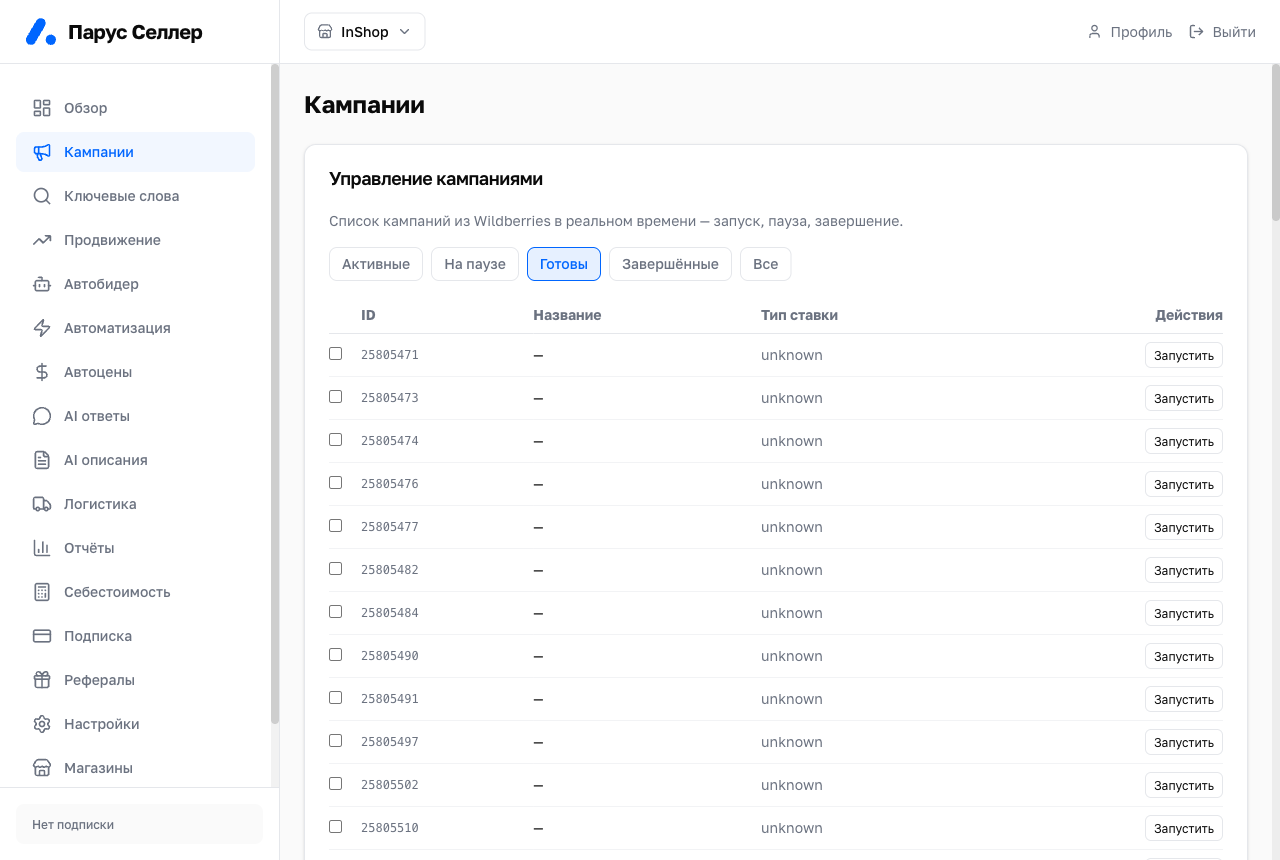
Campaign statuses
Campaigns are grouped into tabs:
- Active;
- Paused;
- Ready;
- Finished;
- All.
Campaign actions
Each campaign supports these actions:
- start;
- pause;
- finish.
⚠️ Starting a campaign begins real impressions and budget spend. Check the campaign and product stock before starting.
When a campaign is finished, the remaining budget returns to the WB ad account balance. The refund takes up to a day.
⚠️ Finishing affects live advertising. If you only need to stop impressions temporarily, use pause.
Bulk actions
To apply an action to several campaigns:
- Select campaigns with the checkboxes.
- Click Pause or Finish.
- Review the selected campaigns before confirming.
The "Check (no launch)" button shows what would be done without changing anything.
Campaign panel
Clicking a campaign in the list opens its panel. The panel shows:
- Spend, Orders, Ad cost share, Views · clicks for the selected period;
- Spend by day;
- History of budget and bid changes;
- the Start, Pause, Stop, Rename and Top up budget buttons.
The full autobidder bid log for all campaigns is on the Autobidder page.
WB statistics arrive with a delay: usually within an hour, with complete data the next day.
WB does not advertise products with zero stock. No budget is spent in that case.
You top up a campaign budget right in the cabinet: the "Top up" button in the campaign panel. The WB minimum is 1,000 ₽.