
Auto pricing and the optimizer
This section combines automatic pricing, pending price changes and the optimizer settings.
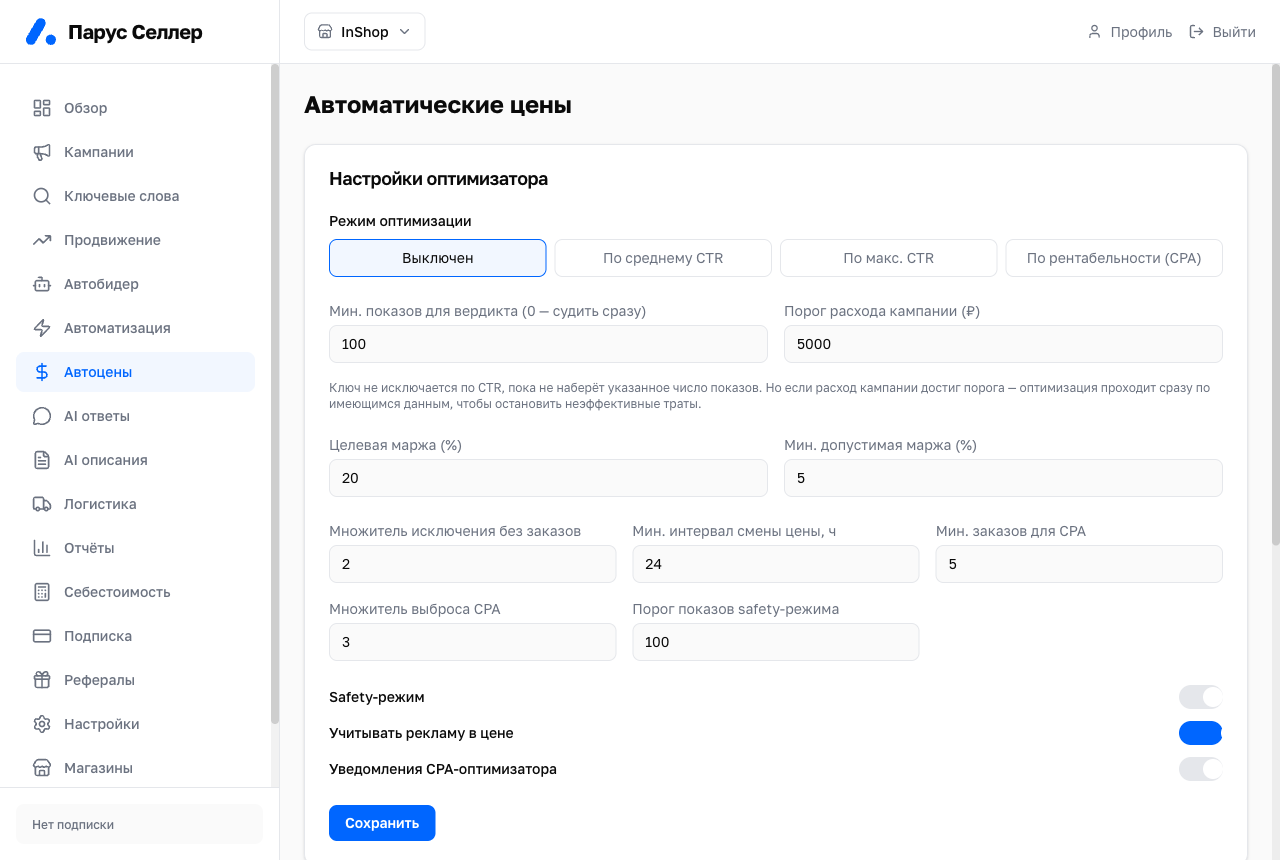
Optimization modes
The modes are mutually exclusive. Only one can be selected at a time:
- Off;
- By average CTR;
- By max CTR;
- By profitability (CPA).
CTR modes
In the CTR modes the service excludes campaign keywords whose CTR is below the set threshold. Those words become negative keywords.
The CTR threshold is adjustable between 1–50%.
"Judge after impressions" protects fresh keywords. A keyword is not excluded by CTR until it reaches the specified number of impressions. A value of 0 means the keyword is evaluated immediately.
CPA mode
In the "By profitability (CPA)" mode the service calculates the maximum acceptable cost per order. The calculation uses:
- product price;
- WB commission;
- product cost;
- target margin.
Keywords that cost more than the acceptable value are excluded.
Available settings:
- target margin;
- minimum acceptable margin;
- multipliers.
Campaign spend threshold
"Campaign spend threshold (₽)" triggers optimization on the data already available once campaign spend reaches the specified value. This helps stop inefficient spending without waiting for new data.
⚠️ The spend threshold affects the optimizer's decisions on live advertising. Set the value with the campaign budget in mind.
Protected and banned words
Protected words are never excluded by the optimizer.
Banned words are always excluded.
Auto pricing
Auto pricing suggests price adjustments based on product cost and target margin. The feature is enabled with the toggle in the header of the Auto-pricing page.
The page shows:
- pending price changes;
- "confirm" and "reject" actions;
- the history of applied changes.
⚠️ Confirming a price change affects your product cards and store economics. Check the product cost and target margin before applying.