
Autobidder
The autobidder manages ad campaign bids automatically. It analyzes keyword conversion and adjusts bids to get orders at a lower cost.
The Autobidder has two modes. Switch them at the top of the Autobidder page for the whole store, or in the campaign panel for one campaign:
- "Lower only" (the default): once an hour it works out the bid cap from your economics and lowers the bid to it. It never goes up.
- "Find the bid": tries a higher or lower bid, measures the effect for a day or two and keeps what worked. Never above the store ceiling. Details: the "Autobidder: find the bid" section.
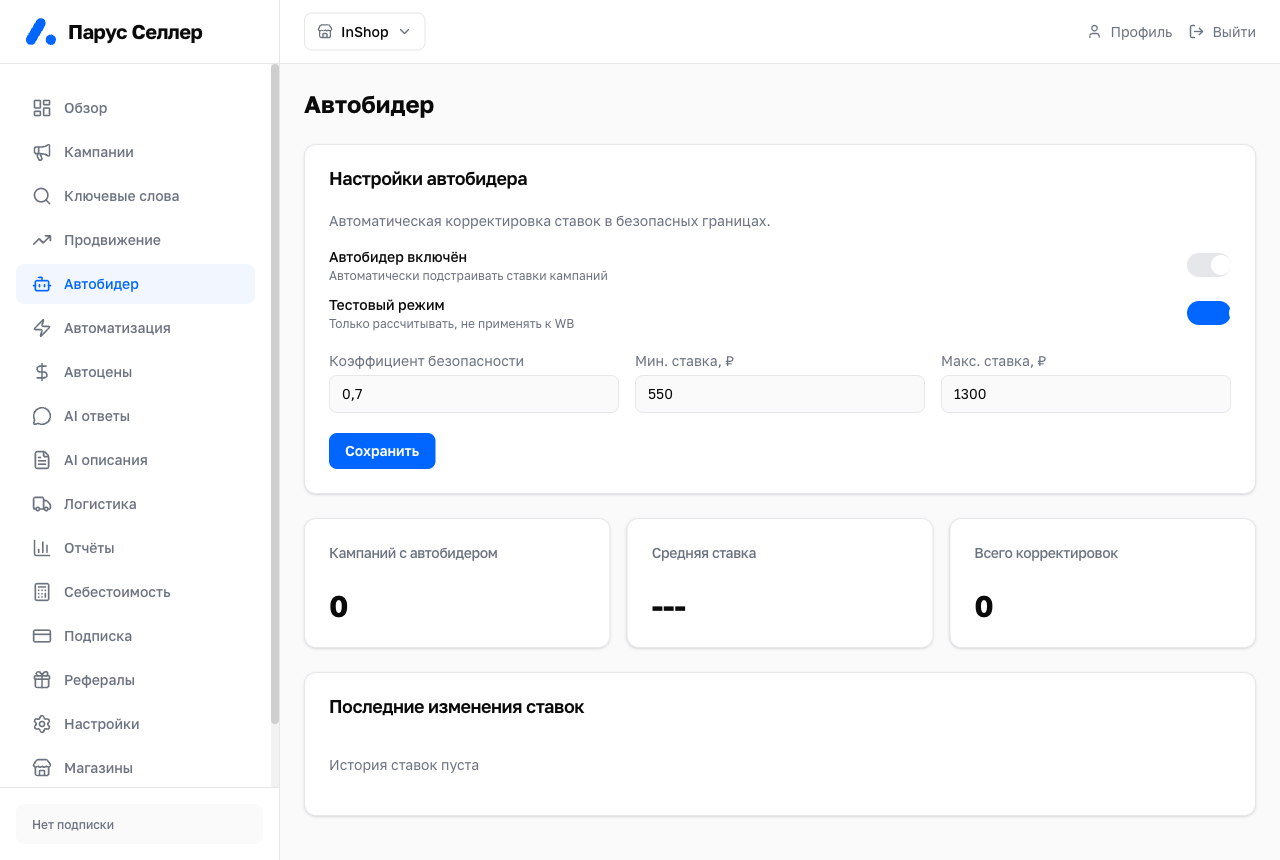
Main settings
Available settings:
- Enabled — off by default;
- Test mode;
- safety factor from 0.5 to 1.0;
- minimum bid in rubles;
- maximum safe bid in rubles.
Test mode
Test mode, or dry-run, calculates and records decisions but does not change bids in WB.
Starting with test mode is recommended.
⚠️ When test mode is off, the autobidder can change real bids in WB. Check the minimum and maximum safe bid before enabling.
Where to see the history
The autobidder decision history is shown on the campaign detail page.