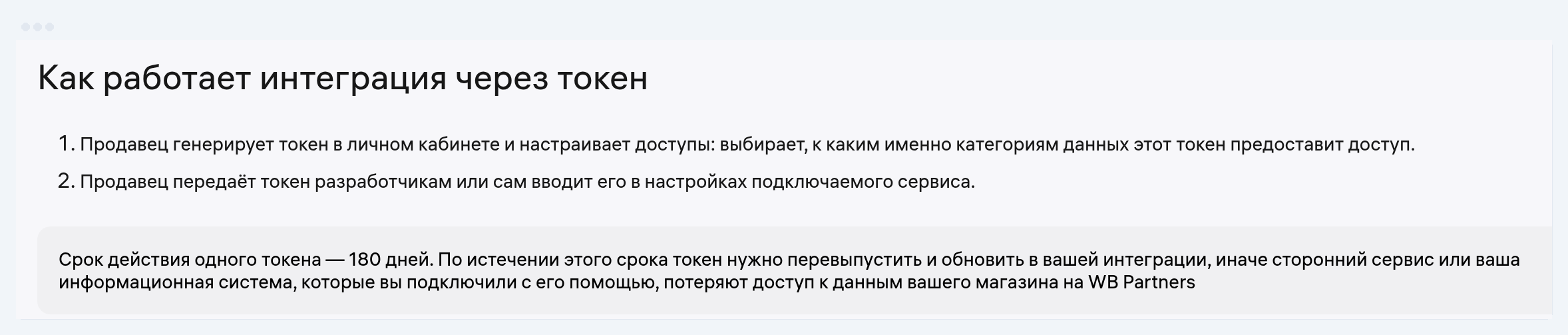
What a Wildberries API token is: it's a password for programs. The account owner creates it in "Profile" → "API integrations," copies it and pastes it into the service they want to give access to their store's data: 1C, an analytics service, a repricer. The program sees only the categories you ticked, and the token can't log into the account or withdraw money. The token lives 180 days, then you issue it again.
Article 12 of 26 in the topic {hub}. All articles in the topic
The first question when you connect any service to a store sounds the same every time: where do I get the token. Over the past year the section in the seller portal moved and changed its name, the number of token types grew to four, and most guides in search still send you to "Settings → API access", which no longer exists. Below is the path from the current WB instruction dated 18 May 2026, the rules for picking a type from the WB knowledge base article of 5 August, and one trap with rate limits that the instructions keep quiet about.
In short: only the account owner creates a token, in the "API integrations" section (Profile → API integrations). It lives 180 days, is shown once, and a store can hold up to 20 active tokens. Your own program or a boxed 1C build needs a personal token, a cloud service from the solutions catalogue needs a service token, anything else in the cloud takes a basic one. You can check a token at dev.wildberries.ru/jwt, with no third-party sites involved.
What a Wildberries API token is
You need a token when a program reads the store's data, not a person. Accounting pulls sales for tax purposes, an analytics service reads orders and stock every hour, a repricer changes prices overnight. You can't hand each of these programs the login and password to the portal, so WB issues it a token with limited rights instead.
| What the token gives the program | What the token does not give |
|---|---|
| Read the checked sections: orders, reports, stock, cards, advertising | Log into the portal with a login and password |
| Change data if "read and write" is selected: prices, stock, cards | Withdraw money or change bank details |
| Work without your involvement until the end of its term | Work past 180 days: after that you need a new token |
Source: WB instructions on tokens dated 18 and 28 May 2026
The token looks like a long string of three blocks separated by dots, starting with "eyJ". Technically it is a JWT under the RFC 7519 standard: inside sit the token type, the seller ID, the expiry date and a bit mask of access categories. So the token itself tells you its type and its expiry date, how to check that is covered below.
The old names from the 2023–2024 guides, the "statistics key", the "content key", the "new API key", all mean one thing today: categories inside a single token. There are no separate keys any more, there is one token with a set of tick boxes.
Where to find the API token in the WB portal
In WB Partners: your legal entity name at the top right, then "Profile" and the "API integrations" section. Only the profile owner sees it. A manager with any set of permissions gets a stub saying the page is for the account owner only, and there is nothing they can do about it.
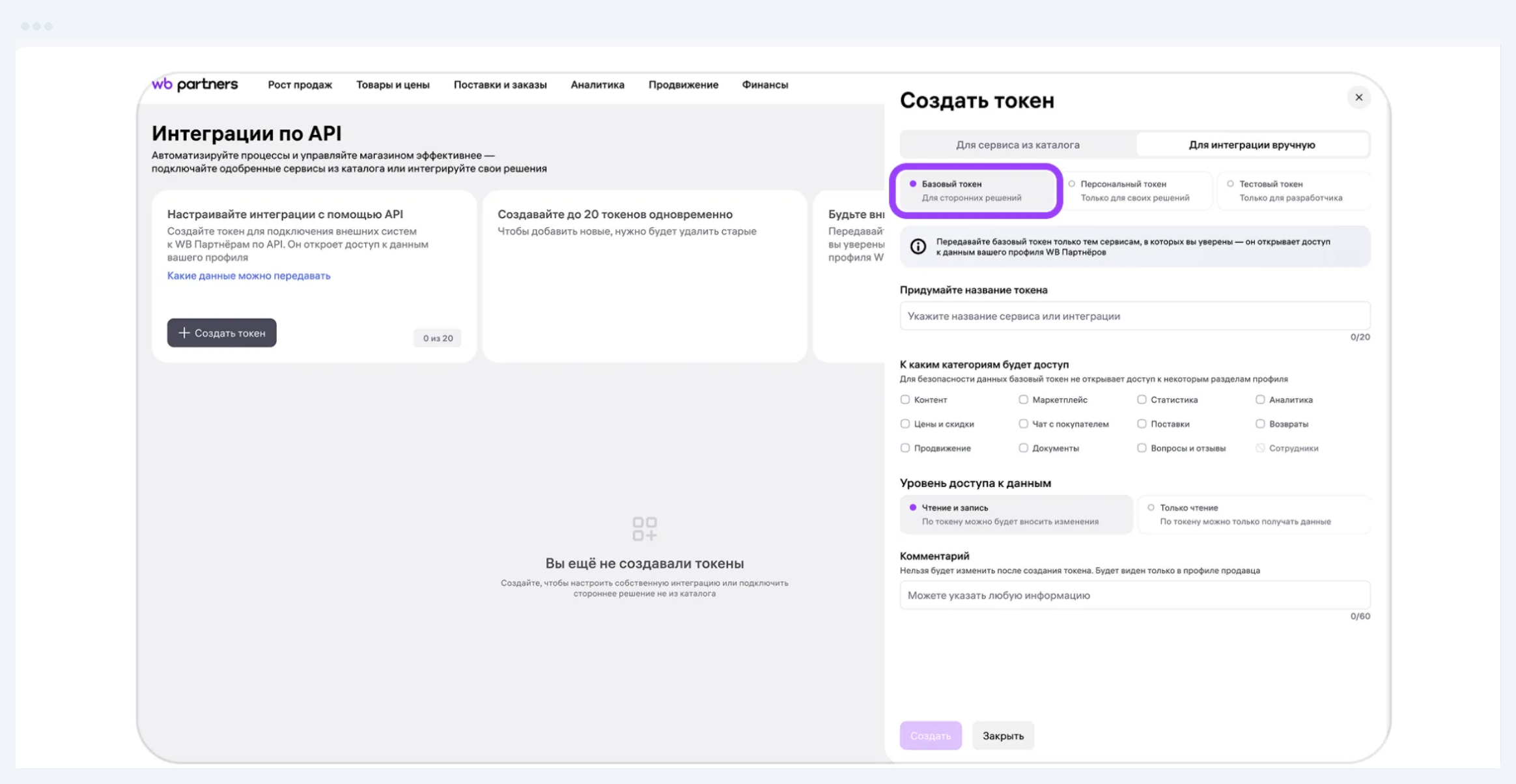
Three things people look for here and fail to find:
- You cannot look up a token you already have. WB shows it once, at creation. What stays in the list is a card: name, expiry date, access level, categories. Lose the string and you issue a new one.
- The old path is gone. "Settings → API access" from most articles in search is history: under the WB instruction updated on 18 May 2026 the section lives in the profile and is called "API integrations".
- The token belongs to the owner, not to an employee. When a store changes owner, every token stops working and the new owner has to issue them again.
Next on this topic: Free Wildberries analytics: what the WB portal gives in 2026
Which type of token to choose
There are four types, and the choice is set by where the program runs, not by which service it is. That is how the WB knowledge base article "Cloud service or local solution: which token to choose" of 5 August 2026 puts it.
- Personal. For your own programs and boxed systems on your own infrastructure: 1C on the company server, an ERP, a script on a rented VPS. It opens the extended categories, user management included. At creation you have to accept a warning that you understand the token must not be handed to third parties. In cloud services you cannot use it.
- Service. For a cloud service from the WB solutions catalogue. The categories are filled in automatically to match what the service needs, and the token works only with that service. If it supports OAuth 2.0 you need no token at all: access is granted in one click and revoked separately from your other integrations.
- Basic. For cloud services outside the catalogue and for testing an integration on real data. You pick the categories and the access level yourself.
- Test. Works only with the WB API sandbox on generated data and never sees a real store.
Now the trap. A basic token without a service secret gets rate limits hundreds and thousands of times lower than a personal one. We went through the Request limit tables of 70 methods in the WB API documentation, and here are seven of them:
| WB API method | Basic token, requests per hour | Personal token, requests per hour |
|---|---|---|
| Media campaign list | 1 | 36,000 |
| Ad campaign list | 1 | 18,000 |
| Products with prices | 4 | 6,000 |
| Ad account balance | 2 | 3,600 |
| Return requests | 1 | 1,200 |
| Campaign statistics | 1 | 180 |
| Orders by day | 2 | 60 |
Source: dev.wildberries.ru, the Request limit tables of 70 methods, snapshot as of 5 September 2026. Basic token without a service secret.
A personal token asks for the list of ad campaigns 5 times a second, a basic one once an hour. Campaign statistics: 3 requests a minute against one an hour. The ad account balance: once a second against twice an hour. WB was gentlest with the "Marketplace" category, where a basic token gets half of the personal one, 150 requests a minute against 300. In every other category the gap runs from 15 times (recommended bids) to 36,000 (the list of media campaigns). On limits like these no dashboard can refresh its numbers more often than once an hour.
A basic token gets normal limits only paired with a service secret: the service registers on the WB API platform and adds the secret to every request. So before you paste a token into a cloud service, ask it one thing: is it in the solutions catalogue, or is it registered with WB. If neither, the data inside it will refresh once an hour.
How to create a Wildberries API token step by step
Creating one takes two minutes if you know the path. The order comes from the WB instruction:
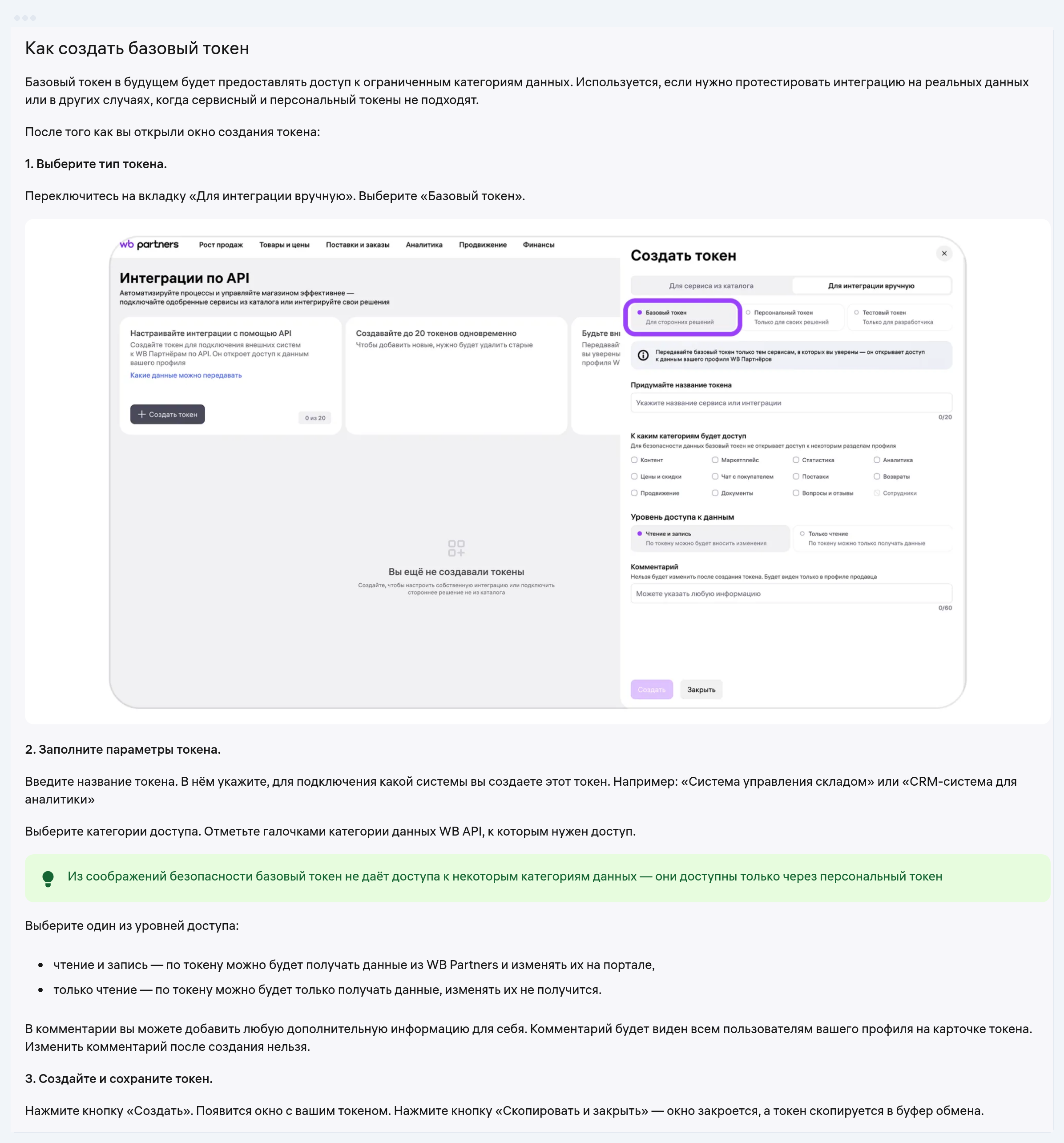
- Log into the portal as the owner: "Profile" → "API integrations" → "+ Create token".
- Pick the tab. "For a service from the catalogue" creates a service token: you find the service in the search box and select it. "For a manual integration" opens the personal, basic and test types.
- Name the token after the system it is issued for: "1C on the server", "analytics service". Six months later the name is what tells you which one to renew.
- Tick the data categories and the access level: "read and write" or "read only". A test token skips this step, the sandbox is open in full.
- Add a comment if you like. Everyone in the profile can see it, and it cannot be edited afterwards. For a personal token, tick the box about the risks.
- Press "Create", then "Copy and close". The token is already in your clipboard, and WB will not show it a second time. Paste it into the service settings right away and keep a copy in your password manager.
Which access categories to tick
Only the ones the particular program will actually use, and one token per service. That is WB's own recommendation: if a token leaks, it opens nothing beyond the categories you ticked. There are thirteen of them:
- Content: product cards, attributes, photos and video, labels.
- Analytics: the sales funnel, stock and paid storage reports, sales by region, returns. Which of these methods work without a Jem subscription is covered in our article on free Wildberries analytics.
- Prices and discounts: setting prices, the promotions calendar.
- Marketplace: seller warehouses, FBS, DBS and DBW orders.
- Statistics: the core reports, including orders, sales and weekly settlement reports.
- Promotion: campaigns, bids, budgets, ad statistics.
- Questions and reviews, Customer chat: replies to customers.
- Supplies: FBW supply slots and warehouse coefficients, they require the offer agreement accepted in the portal.
- Returns by customers, Documents, Finance (balance and financial reports), Users (personal token only).
| Category | What it opens | Analytics | Automation |
|---|---|---|---|
| Content | product cards, attributes, photos | read | read and write (descriptions) |
| Analytics | sales funnel, stock, storage, regions | read | read |
| Prices and discounts | prices, promotions calendar | read | read and write (auto pricing) |
| Marketplace | seller warehouses, FBS/DBS orders | not needed | depends on task |
| Statistics | orders, sales, weekly reports | read | read |
| Promotion | campaigns, bids, budgets | read | read and write (autobidder) |
| Questions and reviews | replies to customers | not needed | read and write (AI replies) |
| Customer chat | conversations | not needed | depends on task |
| Supplies | FBW slots and coefficients | not needed | depends on task |
| Returns by customers | return requests | read | read |
| Documents | closing documents | not needed | depends on task |
| Finance | balance, financial reports | read | read |
| Users | personal token only | not needed | not needed |
Source: the WB instruction "API integrations" dated 18 May 2026; WB advises one token per service and only the categories you need
An analytics service usually gets by with Statistics, Analytics, Content, Prices, Promotion and Finance in "read only" mode. Automating bids, prices or review replies works only with "read and write". You cannot add a category to a token that already exists, you have to issue a new one: in the service, a section with no access simply stays empty.
How long a token lives and how to renew it
180 days from creation, and there is no way to extend it. Three days before the end WB drops a notice into the bell in the portal, and that is not spare time, it is the last warning. WB itself advises setting a reminder two weeks out and replacing the token 7–14 days before the deadline.
Renewal runs through the "Duplicate" button in "API integrations": WB creates a new token with the same settings, and the old one keeps working until you delete it by hand. Replace the token everywhere it is used, watch for a couple of days that the data is still flowing, and only then delete the old one.
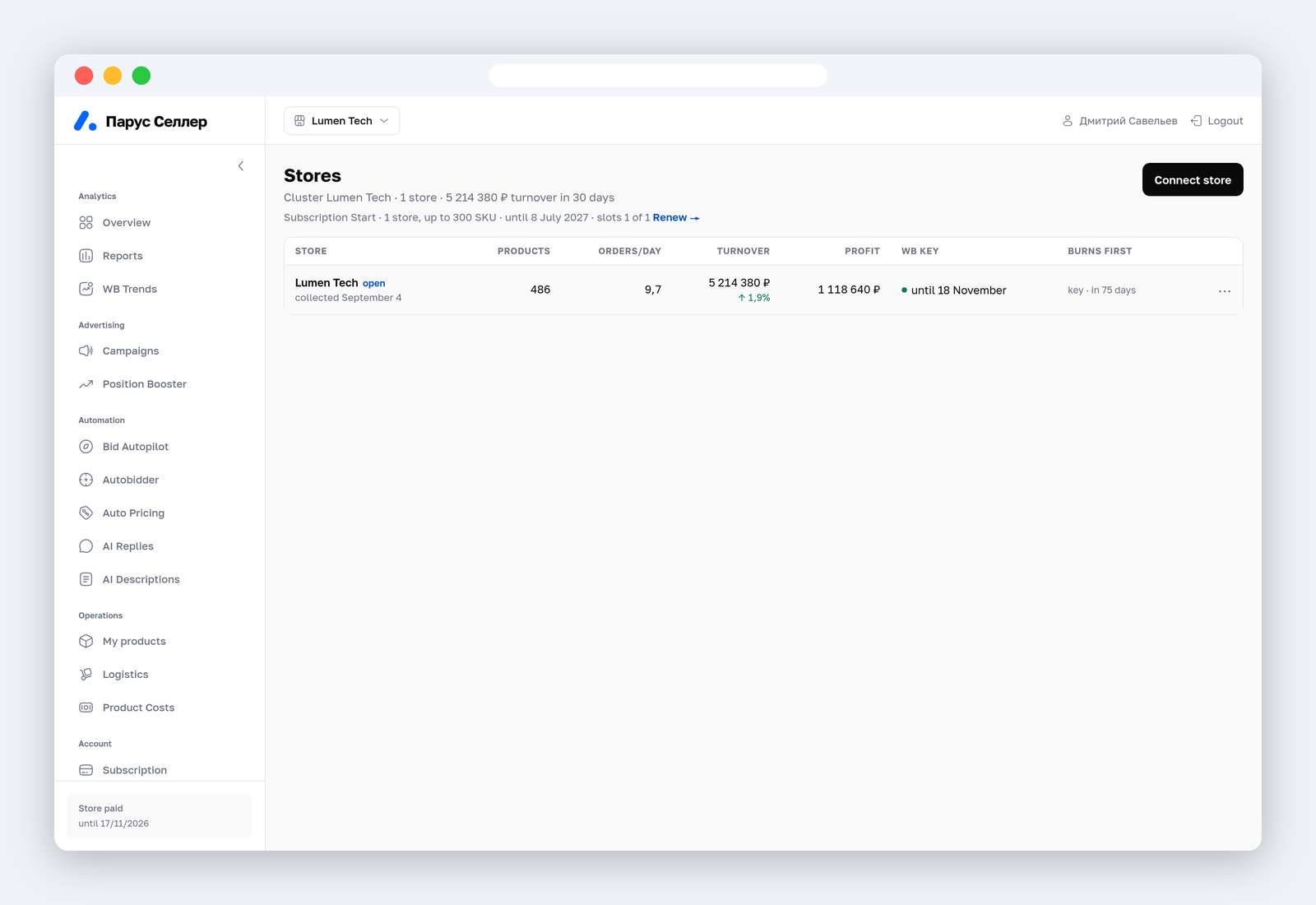
Our data shows sellers neglect this. Of the 16 tokens that stores have ever connected to Parus Seller, 14 were expired by September 2026 and only two were alive. An integration dies quietly: charts stop updating, automations stall, and the reason is visible only inside the token. A good service counts the days for you and warns you in advance.
How to check and decode a token
The official decoder lives at dev.wildberries.ru/jwt: you paste the token and see the type, the expiry, the categories, the access mode and the status. Third-party JWT decoders are not fit for this: they may store what you paste, and a token is a password to your store.
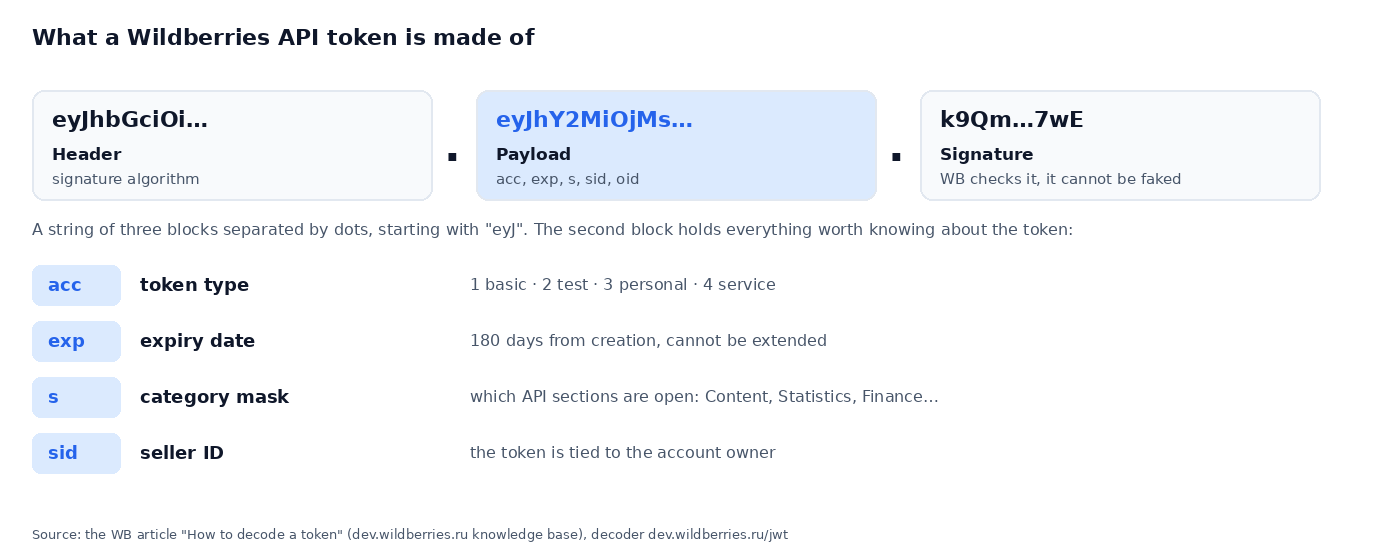
What you can see inside, according to the WB article on decoding: the "acc" field sets the type (1 basic, 2 test, 3 personal, 4 service), "exp" the end date, "s" the category mask, "sid" the seller ID. The status reads "Active", "Expired", "Revoked" or "Inactive", and the last one means the owner changed or the account was blocked.
If the API answers with an error, read the code. A 401 means the token has expired, is wrong, or lacks the category you need. A 403 points to blocked access or a token belonging to a deleted user. The quick connectivity check is a "/ping" request on the category domain, for example statistics-api.wildberries.ru/ping.
Security rules for working with a token
- One token per service. A leak of one will not open your other integrations.
- Nobody forwards a token in messengers or by email. You paste it into the service settings with your own hands, and the WB rules require exactly that.
- "Read only" everywhere the service has nothing to change.
- At the first hint of trouble, delete the token in "API integrations" and issue a new one. If someone else has been acting inside your profile, write to WB support under the category for account security.
- Ask the service how it stores your token. A sound answer: encrypted, never shown to anyone after saving, and revocable from the WB portal.
That is how connecting works in Parus Seller: the wizard reads the token before it ever goes to the server and shows the type, the expiry, the store and the categories, and if one is missing it names which. The key is stored encrypted, the encryption key sits apart from the database, and nobody sees the whole token, support included. Revoke the token in the WB portal and the platform notices within a minute and stops the automations. More on the "Security" page.
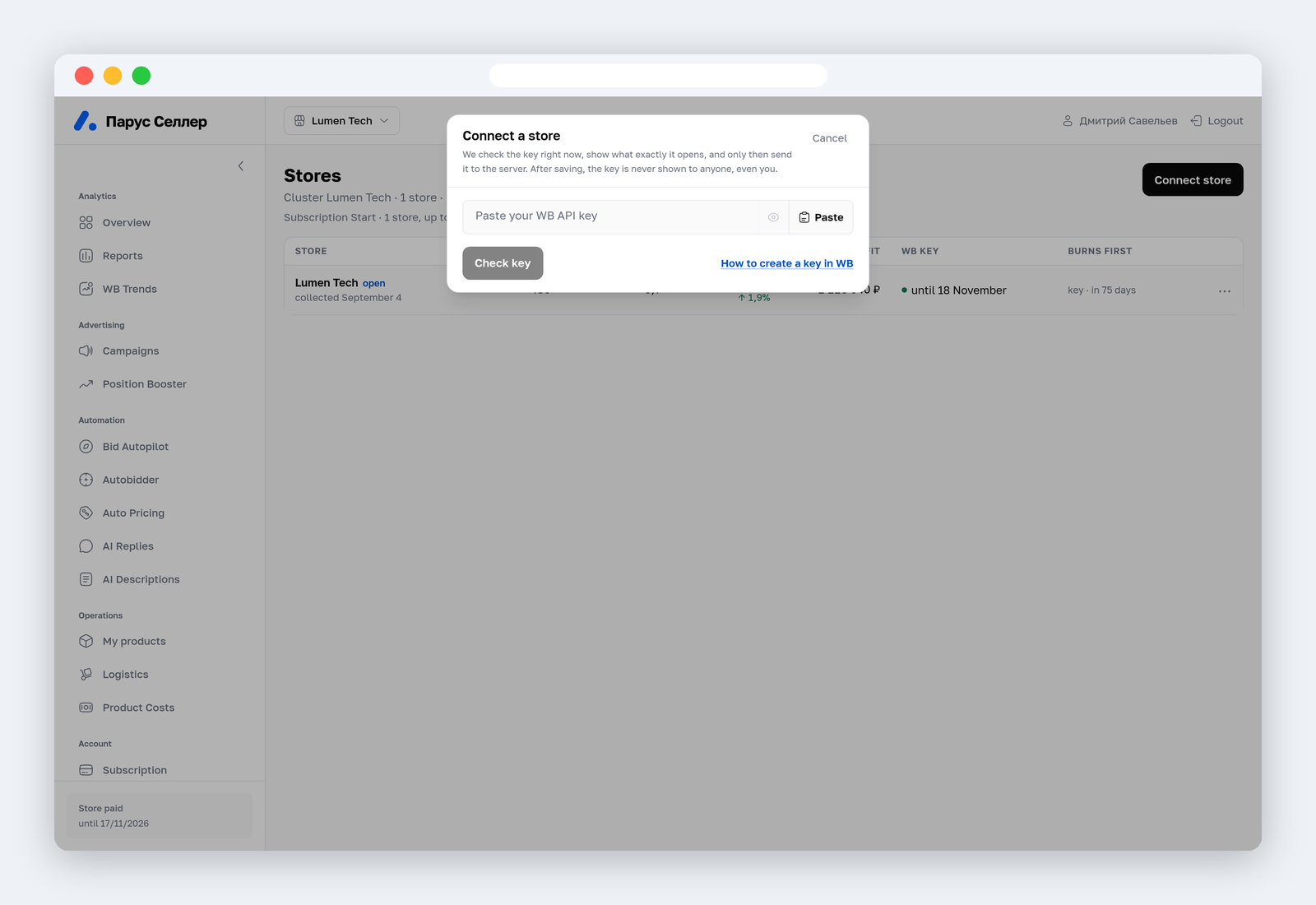
The first two months of Parus Seller are free with promo code PARUS60, no card required: connect a store with your token and see your first data in 5–10 minutes.
FAQ
Where do I find the token on WB if there is no "API access" section? The section moved: your legal entity name at the top right → "Profile" → "API integrations". It opens for the account owner only.
What is the Wildberries statistics API key? An old name. Today it is the "Statistics" category inside an ordinary token, there is no separate key. It covers the reports on orders, sales and the weekly settlement reports.
Can I look at a token I already created? No. WB shows the string once, at creation, and the list keeps only a card with the name, the expiry and the categories. If you lost the string, press "Duplicate" and get a new token with the same settings.
How many tokens can I create? Up to 20 active ones per store. WB recommends a separate token for each service or task.
Which token do I need for 1C? It depends on where 1C runs. A boxed version on your own server or computer takes a personal token. 1C:Fresh and other cloud options from the solutions catalogue take a service token.
What do I do if a token stops working before the 180 days are up? Check it in the decoder. The status "Revoked" means someone deleted it in the portal, "Inactive" points to a change of owner or a blocked account. In both cases issue a new token as the owner.